SVT-AV1 Codec settings in XMedia Recode: Tips and Techniques
The SVT-AV1 codec was developed by Intel as part of the Scalable Video Technology (SVT) project.
The AV1 codec itself was developed by the AOMedia (Alliance for Open Media) and aims to provide higher compression efficiency than its predecessors such as H.264 and HEVC (H.265), while allowing royalty-free use. SVT-AV1 is a specific implementation of this codec developed by Intel's research department.
Features of the SVT-AV1 codec
High compression efficiency: SVT-AV1 offers a higher compression ratio compared to other modern codecs such as HEVC. This means it can achieve the same video quality at smaller file sizes, resulting in lower bandwidth requirements.
Parallel processing: SVT-AV1 supports high-level parallelization, meaning multiple threads can be used simultaneously to speed up encoding and decoding. This allows for more efficient use of multi-core processors and helps reduce processing times.
Advertisement
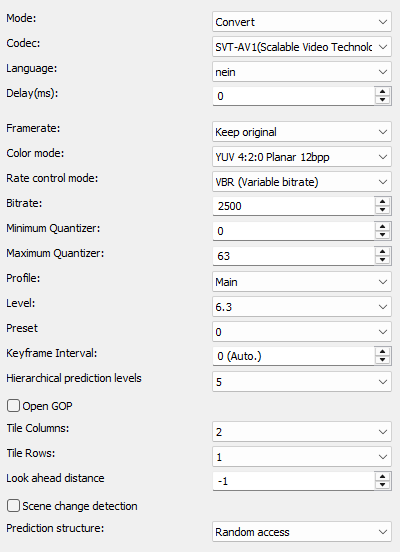
Mode
- Convert (convert video stream)
- Copy (copy video stream)

Codec
Determines which video codec to use for encoding.
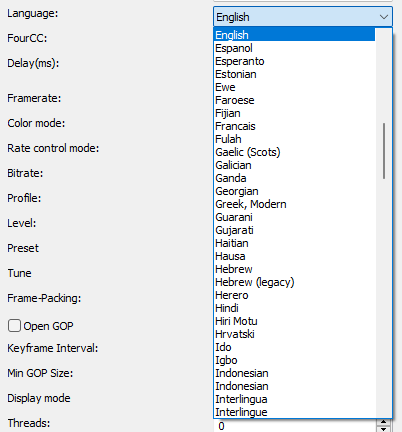
Language
Sets the language that displays when playing the player.
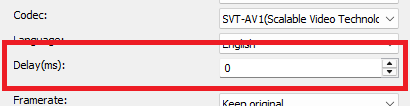
Delay(ms)
Sets the delay of the video stream.
Positive values start the stream later.
Negative values start the stream earlier.
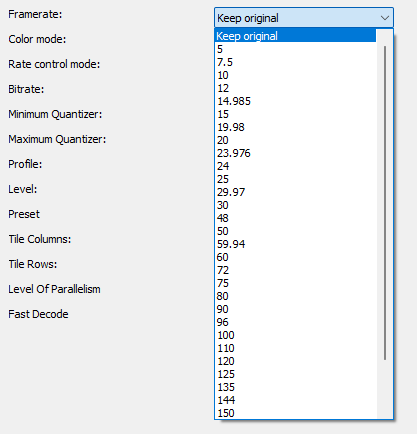
Framerate
Specifies the output video rate.
Level
The Level setting sets the limit for various parameters such as the maximum resolution, the maximum bitrate and the max tiles that can be used in an encode.
Higher levels require more powerful hardware, both for encoding and decoding.
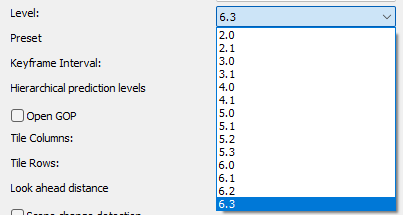
| Level | Auflösung/Bildrate | maximale Videobitrate Main |
maximale Videobitrate High |
Max Tiles | Max Tile Cols |
| 2.0 | 426×240 / 30fps | 1.5 Mbit/s | - | 8 | 4 |
| 2.1 | 640×360 / 30fps | 3.0 Mbit/s | - | 8 | 4 |
| 3.0 | 854×480 / 30fps | 6.0 Mbit/s | - | 16 | 6 |
| 3.1 | 1280×720 / 30fps | 10.0 Mbit/s | - | 16 | 6 |
| 4.0 | 1920×1080 / 30fps | 12.0 Mbit/s | 30.0 Mbit/s | 32 | 8 |
| 4.1 | 1920×1080 / 60fps | 20.0 Mbit/s | 50.0 Mbit/s | 32 | 8 |
| 5.0 | 3840×2160 / 30fps | 30.0 Mbit/s | 100 Mbit/s | 64 | 8 |
| 5.1 | 3840×2160 / 60fps | 40 Mbit/s | 160 Mbit/s | 64 | 8 |
| 5.2 | 3840×2160 / 120fps | 60 Mbit/s | 240 Mbit/s | 64 | 8 |
| 5.3 | 3840×2160 / 120fps | 60 Mbit/s | 240 Mbit/s | 64 | 8 |
| 6.0 | 7680×4320 / 30fps | 60 Mbit/s | 240 Mbit/s | 128 | 16 |
| 6.1 | 7680×4320 / 60fps | 100.0 Mbit/s | 480 Mbit/s | 128 | 16 |
| 6.2 | 7680×4320 / 120fps | 160.0 Mbit/s | 800.0 Mbit/s | 128 | 16 |
| 6.3 | 7680×4320 / 120fps | 160.0 Mbit/s | 800.0 Mbit/s | 128 | 16 |
Profile
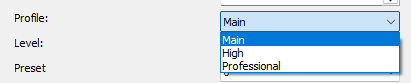
The AV1 codec profile settings allow you to adjust the compression and quality. There are several profiles, each with different features and capabilities.
- Main
- Professional
- High
Preset
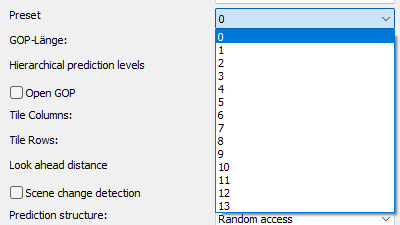
With the preset setting you can set the encoding speed and quality between 1 and 13.
- 1 = Very slow, highest quality and compression
- 5-7 = Medium, a good compromise between speed and quality
- 13 = Very fast encoding, but lower quality
Color mode
Specify output colorspace format.
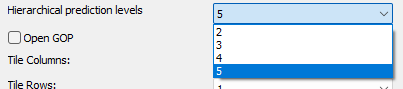
Hierarchical prediction levels
The "Hierarchical prediction levels" setting determines how many temporal hierarchy levels are used for motion compensation and prediction in the SVT-AV1 codec. A higher number of hierarchy levels results in better compression and higher quality at the expense of coding time and latency, while a lower number results in faster but less efficient compression.
Tile Columns
Tiling splits the video into rectangular regions, which allows multi-threading for encoding and decoding.
The number of tiles is always a power of two. 0=1 tile, 1=2, 2=4, 3=8, 4=16, 5=32.

Advertisement
Tile Rows
The Tile Rows setting determines the number of vertical "tile" rows into which the image is divided.
The number of tiles is always a power of two: 1, 2, 4, 8, 16, 32.
The more tile rows you choose, the more parallel processing units can be used, which generally improves encoding performance, especially on multi-core processors.

Look ahead distance
The Look ahead distance (--lookahead parameter) in the SVT-AV1 codec controls the number of frames the encoder analyzes in advance to make encoding decisions. This mainly concerns predicting frame interdependencies and optimizing compression to achieve the best balance between quality and file size. The lookahead mechanism is one of the key features for video encoding efficiency, as it helps make encoding decisions based on a larger number of frames

Scene Change Detection
The Scene Change Detection in the SVT-AV1 codec detects sudden scene changes by identifying significant differences between adjacent frames and inserts a new I-frame at those points. This optimizes compression and image quality and helps improve video encoding efficiency.

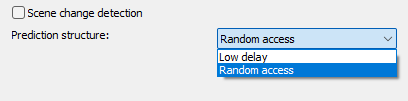
Prediction structure
This parameter controls how the prediction of frames is structured, i.e. it defines the dependency between the frames in terms of temporal prediction. This affects the coding efficiency and the quality of the final video.
- Low delay:
This structure is optimized to produce a low delay. It is particularly suitable for real-time applications where low latency is important.
- Random access:
This structure optimizes the ability of users to access any frame in the video without being limited by long delays or highly sequential processing. More I-frames and B-frames are used here, which increases flexibility but can also increase encoding complexity and file size.
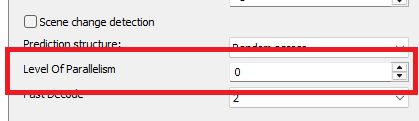
Level Of Parallelism
Determines how much parallelization is allowed (e.g. for multi-threading).
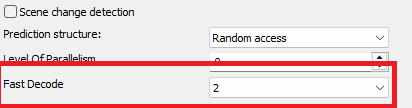
Fast Decode
Activates modes that make decoding easier/faster.