
Subtitle tab
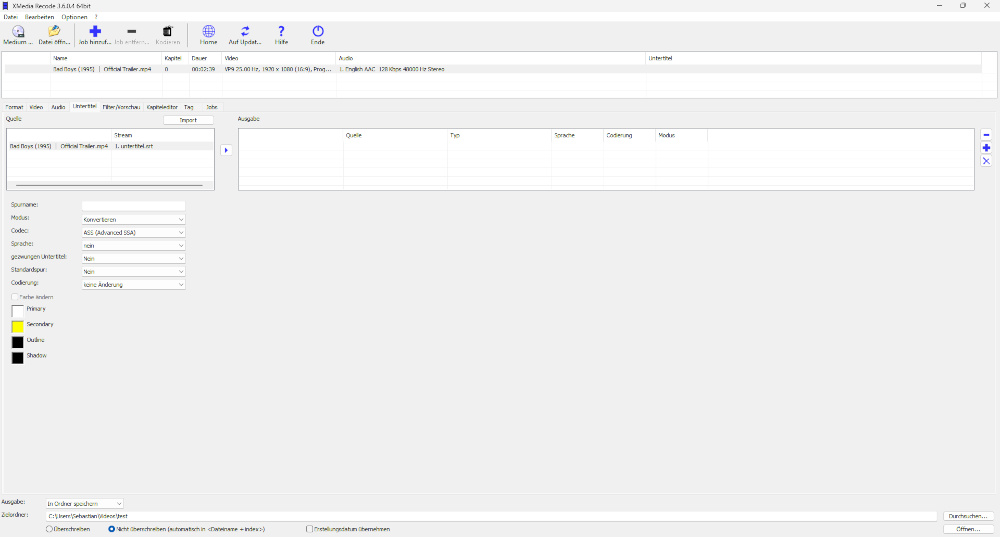
The Subtitles tab provides functions to manage and edit subtitles when converting video files.
Here, users can add, remove or edit subtitle tracks. The main options and features in this tab are.
Important functions
-
Add Subtitles
You can add external subtitle files in common formats (such as .SRT, .ASS or .SUB) to your video.
Just select the subtitle file you want and insert it into the video to make the subtitles appear during playback. Remove Subtitles
If the video already contains subtitles, you can remove them with just a few clicks.
This feature allows you to delete unwanted subtitles from the video.
Ausgabe
 |
Add subtitle stream |
 |
changes the order of the subtitle streams |
 |
changes the order of the subtitle streams |
 |
Remove subtitle stream |
Mode
Specifies whether the subtitle is converted or copied.
Codec
Specifies which subtitle codec is used for conversion.
Language
Sets the language that the player displays during playback.
Add external subtitle to video
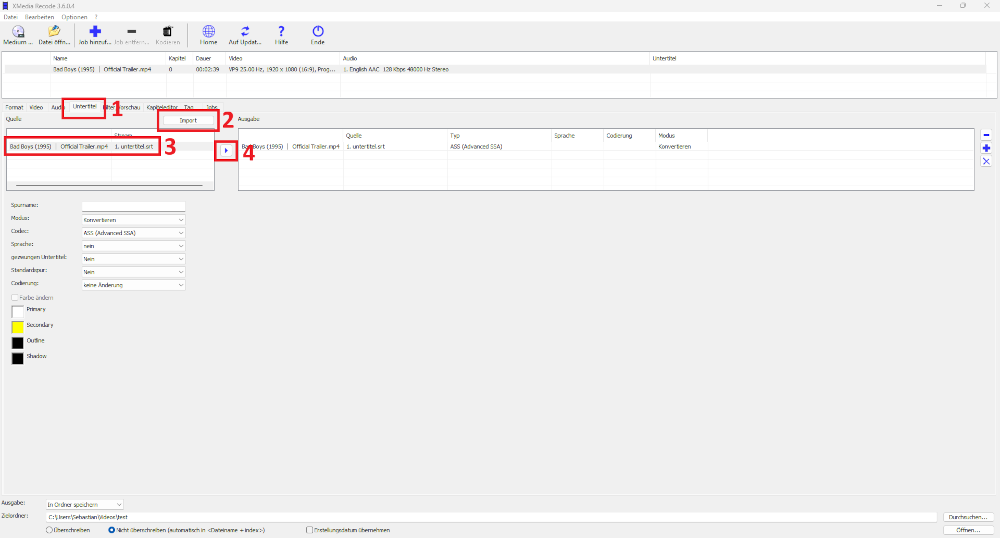
Step 1: Click the Subtitles tab
Step 2: Click the Import button and select subtitle file
Step 3: Select imported subtitle
Step 4: Add subtitle stream to output