
FLAC Codec Settings | Tips and Techniques
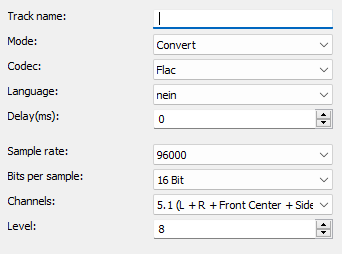
FLAC is a lossless codec that stores high quality audio without losing any data. While the file sizes are larger compared to MP3 or AAC, the sound quality remains the same
Mode
Specifies whether the audio track is converted or copied.

Advertisement
Codec
Specifies which audio codec is used for encoding.
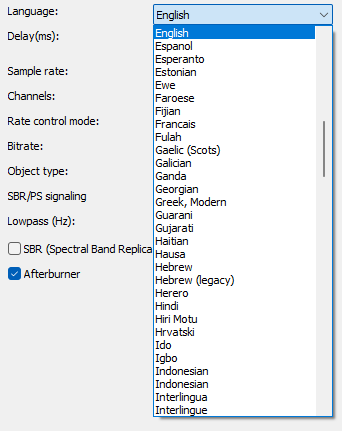
Language
Sets the language that the player displays when playing.
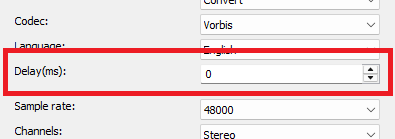
Delay(ms)
Sets the delay of the audio stream.
Positive values start the stream later.
Negative values start the stream earlier.
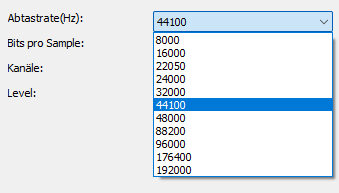
Sample rate
Specifies the sample rate.
The higher the sample rate, the richer the sound. The values are between 8000 and 96000 Hz.
Bits per sample
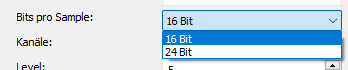
16 Bit: Sufficient for everyday use, such as CDs and consumer audio formats, less storage requirements
24 Bit: Higher precision, greater dynamic range, better quality audio recording and editing, but larger file sizes and mainly useful in professional applications
Channels
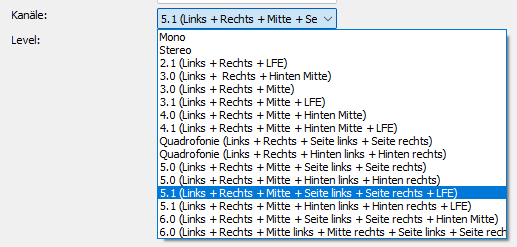
FLAC (Free Lossless Audio Codec) supports up to 8 audio channels. This means that FLAC is able to compress multi-channel audio formats such as surround sound or 3D audio in the highest quality without losing any information. It can therefore store not only stereo (2 channels), but also 5.1 or 7.1 surround sound and other configurations with up to 8 channels. This feature makes FLAC particularly attractive for home theater systems or professional audio recordings where a high number of channels and lossless quality are required.
Level
The level refers to the compression level, which controls the balance between compression rate and processing time.

- Level 0: Fastest compression, smallest file size reduction.
- Level 12: Slowest compression but highest file size reduction.