
AMD AMF H.265 Codec Settings in XMedia Recode: Tips and Techniques
Advertisement
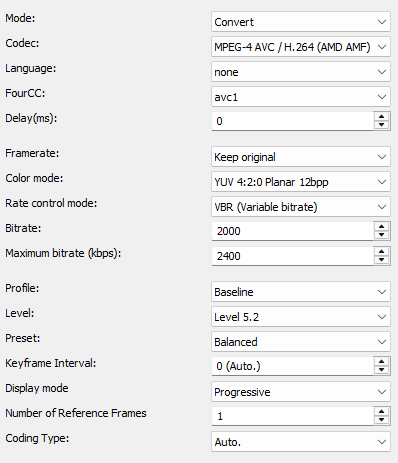
Mode
- Convert (convert video stream)
- Copy (copy video stream)

Codec
Determines which video codec to use for encoding.
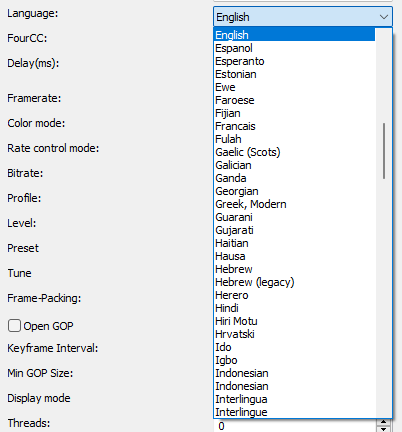
Language
Sets the language that displays when playing the player.
FourCC
Is a 4-byte identifier which specifies the format of a video stream.
Delay(ms)
Sets the delay of the video stream.
Positive values start the stream later.
Negative values start the stream earlier.
Framerate
Sets the frame rate in frames per second.
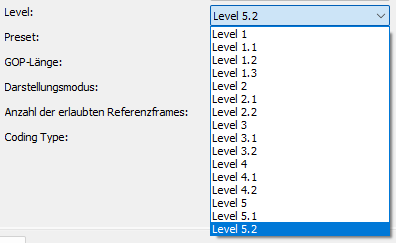
Level
The level setting sets the limit for various parameters such as the maximum resolution, the maximum bitrate and the number of reference frames that can be used in an encode.
Higher levels require more powerful hardware, both for encoding and decoding.
Profil
The H.264 codec profile settings allow you to adjust the compression and quality. There are several profiles, each with different features and capabilities
- Baseline
- Main
- High
Preset
The preset setting controls the ratio of speed and quality of video encoding
- Speed: Prioritizes encoding speed and ensures that encoding is as fast as possible
- Balanced: Provides a good balance between encoding speed and the quality of the final video
- Quality: Prioritizes image quality, suitable for scenarios where the best video quality is required but at the expense of speed

Keyframe Interval
A GOP is an interval from I-frame to I-frame
Very high GOP lengths result in slightly more efficient compression.
Display mode
Progressive: must be set if the source material is progressive or is converted to progressive by a deinterlace filter.
Interlaced TFF (Top field first): must be set if the source material is Interlaced TFF
Interlaced BFF (Bottom field first): must be set if the source material is Interlaced BFF.
Color mode
Specify output colorspace format.
Number of reference frames
Specifies the number of images that are searched for similarities. Values from 4 to 5 are useful.
A maximum of 16 is possible.
The larger the value, the more time is required for compression.
