
H.264 - Codec: B-Frame Settings
B-frames are a powerful video compression technique because they significantly reduce image data through prediction and motion compensation using neighboring frames. They offer high compression efficiency and improve video quality at low bitrates, making them particularly useful for video transmission and storage. However, processing complexity and higher latency are drawbacks that must be considered when applying B-frames.
 Reklame:
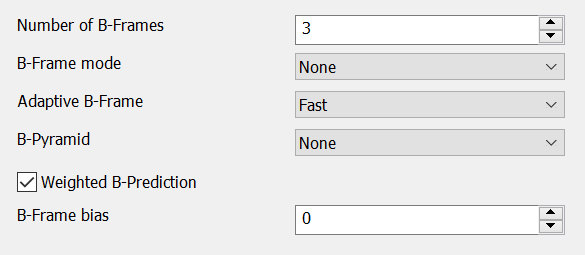
 Number of B-Frames
Number of B-frames between I and P
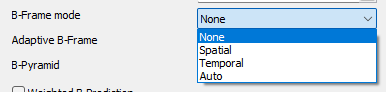
B-Frame mode
Motion vector prediction method for B-Frames.
Auto selects the best method per-frame
- None
- Spatial
- Temporal
- Auto
Advertisement
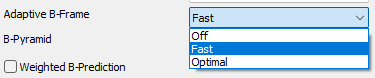
Adaptive B-Frames
Allows to use a dynamic number of consecutive B-Frames.
- Off
- Fast
- Optimal
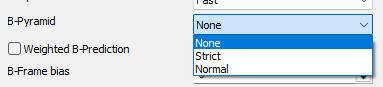
B-Frame Pyramid
Allows use of B-Frames as references.
- None (do not allow B-frames to be used as references)
- Strict (allow one B-frame per minigop to be used as reference; enforces restrictions imposed by the Blu-ray standard)
- Normal (allow numerous B-frames per minigop to be used as references)
Weighted B-Prediction
When combined with multiple consecutive B-frames, this improves the prediction of fades.
Weighted B-Prediction improves the prediction accuracy of B-frames by providing a weighted prediction for the motion and color value of the B-frame based on the neighboring reference frames.

B-Frame bias
Modify the bias for use of Adaptive B-Frames.
Higher values increase use, lower values decrease
Advertisement